NoteMD app icon

Free & open source · Native on macOS 26

Markdown notes,
versioned automatically.

NoteMD is a native Mac app for plain Markdown files. Keep as many vaults as you like, get a git history of every edit for free, turn notes into reusable prompt templates, record voice notes, and edit any text file on your Mac.

macOS 26 on Apple silicon · MIT licensed

In action

NoteMD in 42 seconds.

Plain Markdown files, automatic git history, voice notes, and how a template turns into a prompt. Music and sound effects are generated in code, like the rest of the video.

Why

A simpler place for notes, prompts and plain text.

NoteMD started as a personal itch. Here is the short version, written the way it would be in the app.

Why I built NoteMD

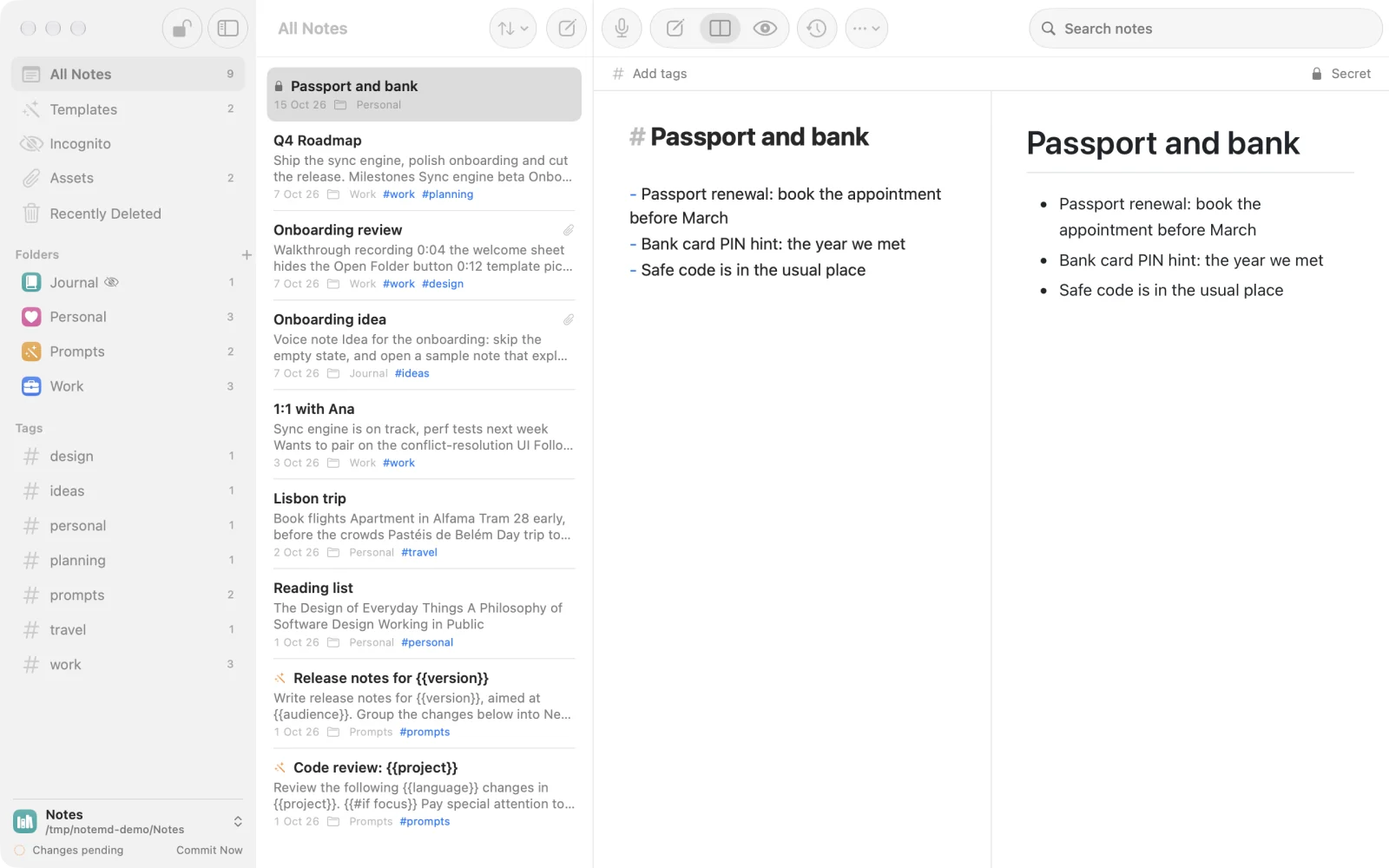
I wanted a simpler note-taking app: plain Markdown files, several separate vaults, and every change versioned with git without having to think about it.

I also kept rewriting the same AI prompts, so I added templates: put parameters in a note, fill in a form, copy the result. Voice notes and video reviews came next, because some thoughts are faster to say or show than to type.

And while I was at it, a proper editor for every other text file on my Mac. Goodbye, TextEdit.

  • Plain Markdown files, no lock-in
  • Multiple vaults, one window each
  • Automatic git history
  • Reusable prompt templates
  • Voice notes and video reviews
  • A text editor for everything else

Javi, author of NoteMD

Features

Everything is a file. Every edit is kept.

Every edit, safely in git

Each vault is a git repository. NoteMD saves as you type and commits a few seconds after you stop, and again when you close the window, quit, or press ⌘S.

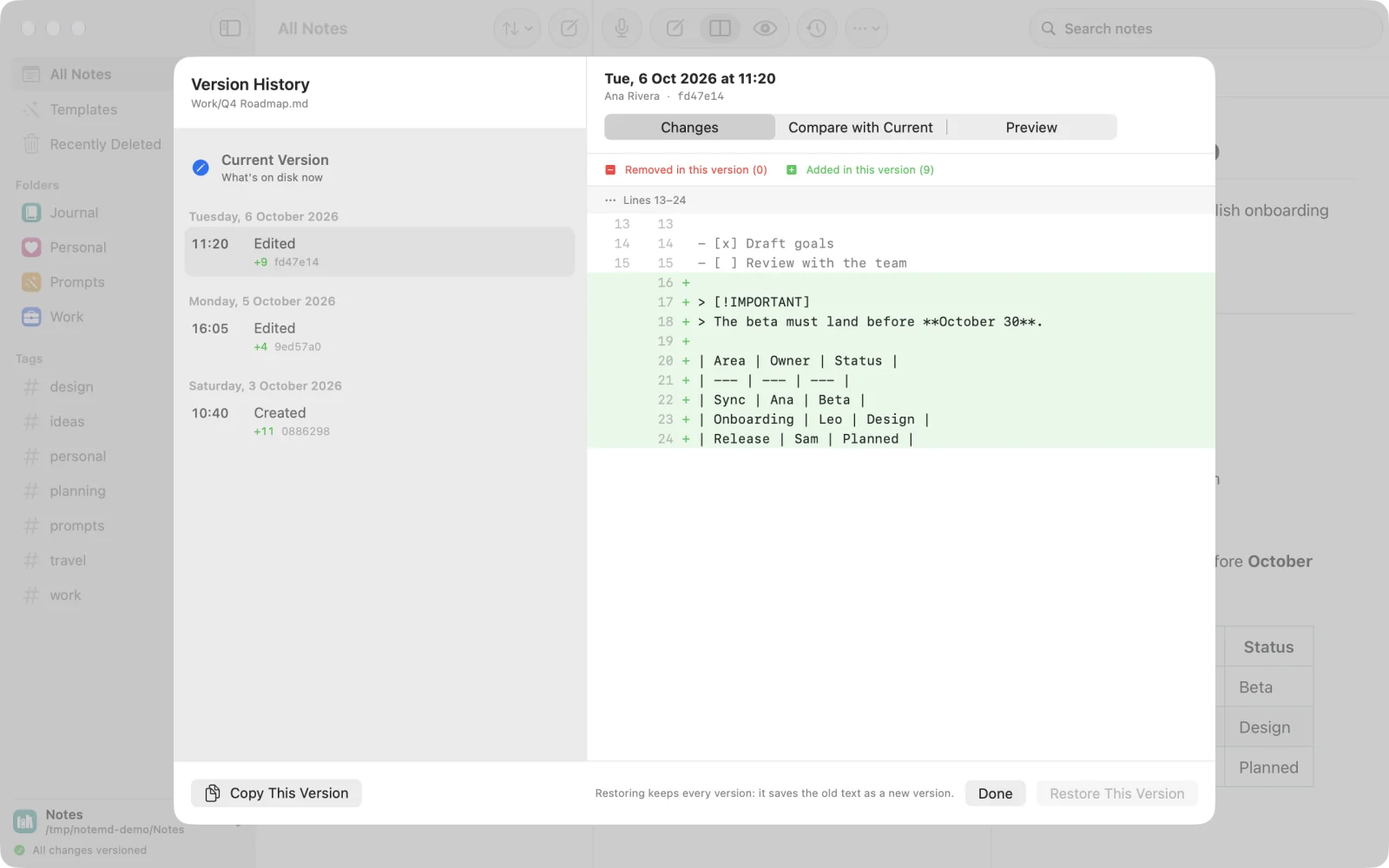
Version History shows what changed in each version, compares any of them with the current text, and restores one as a new commit. Deleted notes can come back too.

Version History sheet listing a note's versions by date, with a diff of the lines added in the selected version.

Reusable prompts, as forms

Add params to a note's front matter and write {{placeholders}}, with {{#if}}, {{#elseif}}, {{#unless}} and {{#each}} blocks. Conditions can compare values, like {{#if language == Swift}} or {{#if max >= 10}}. AI agents can write them too, with the create-reusable-prompt skill.

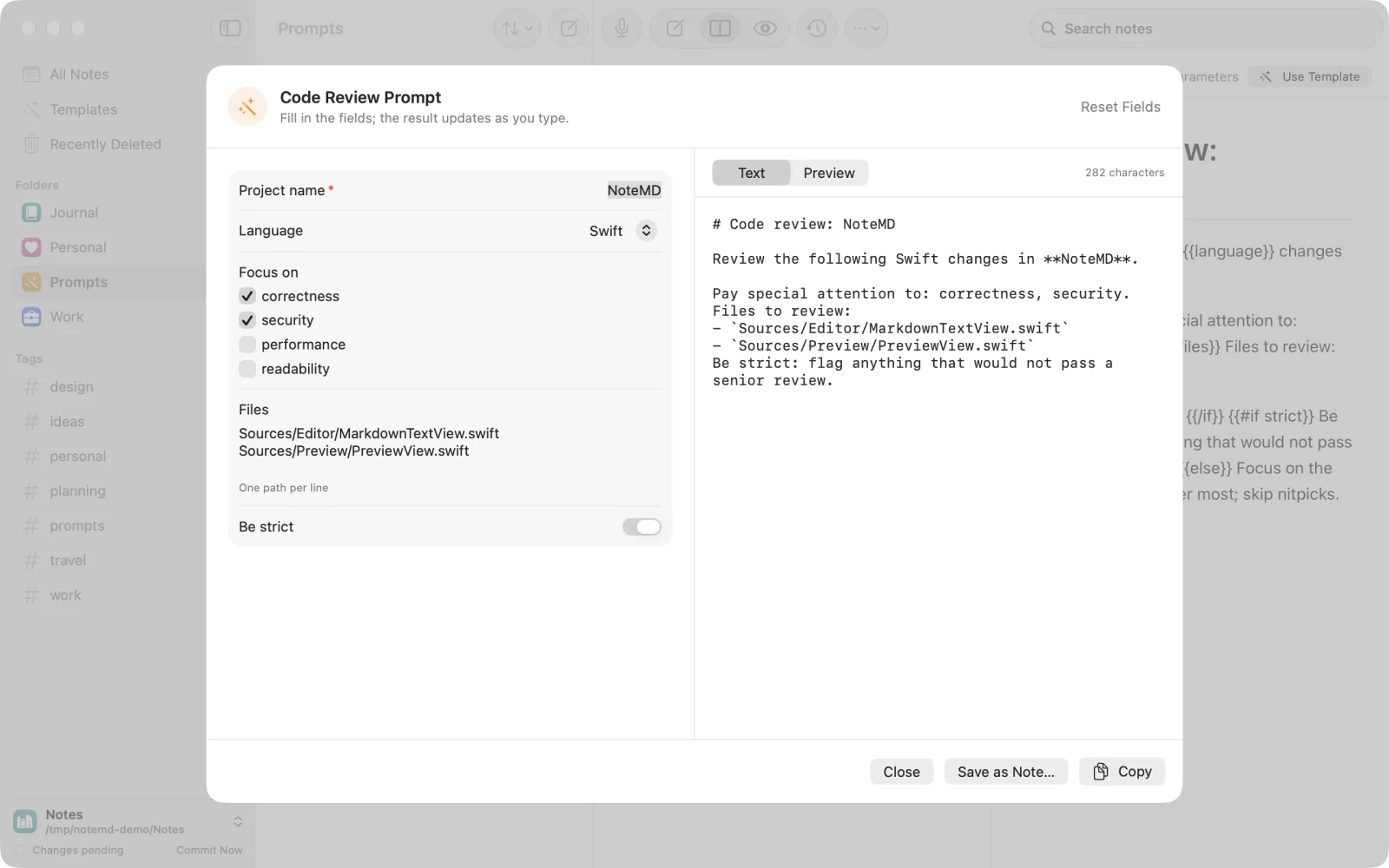
Use Template opens a form with ten field types (text, long text, number, toggle, choice, multiple choice, file, folder, date and list) and gives you the result to copy or save as a note. Made for the AI prompts you keep rewriting.

Template form for a code review prompt with text, choice, multiple choice, list and toggle fields, and the rendered prompt next to it.

Voice notes, transcribed on your Mac

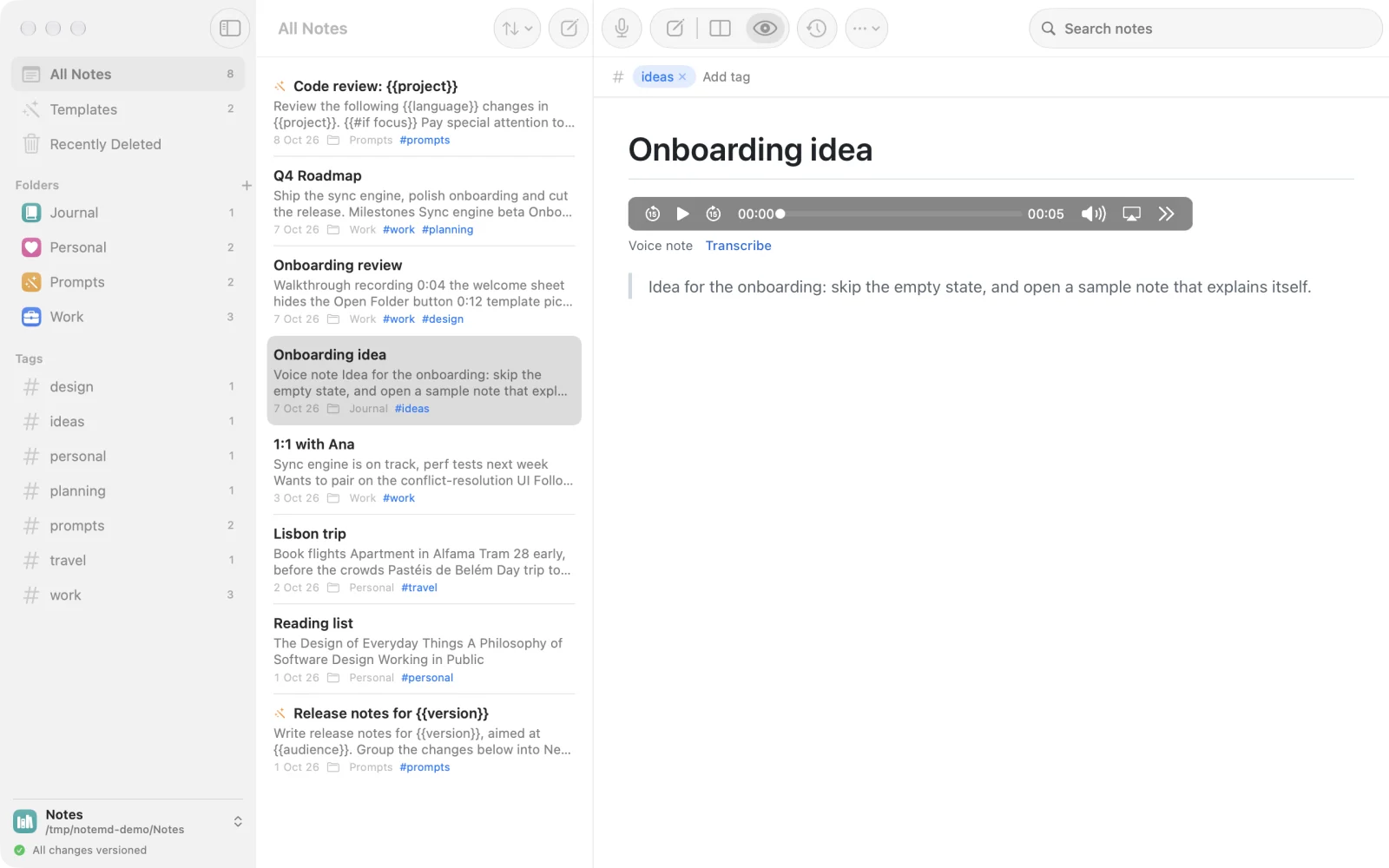
Record straight into a note. The clip is saved in the vault's files/assets/ folder and plays right in the preview.

Transcribe it with on-device speech recognition: the text is added under the clip as a quote, and the audio never leaves your Mac.

A note with an embedded audio player for a voice note and its transcript quoted below.

Video reviews and attachments

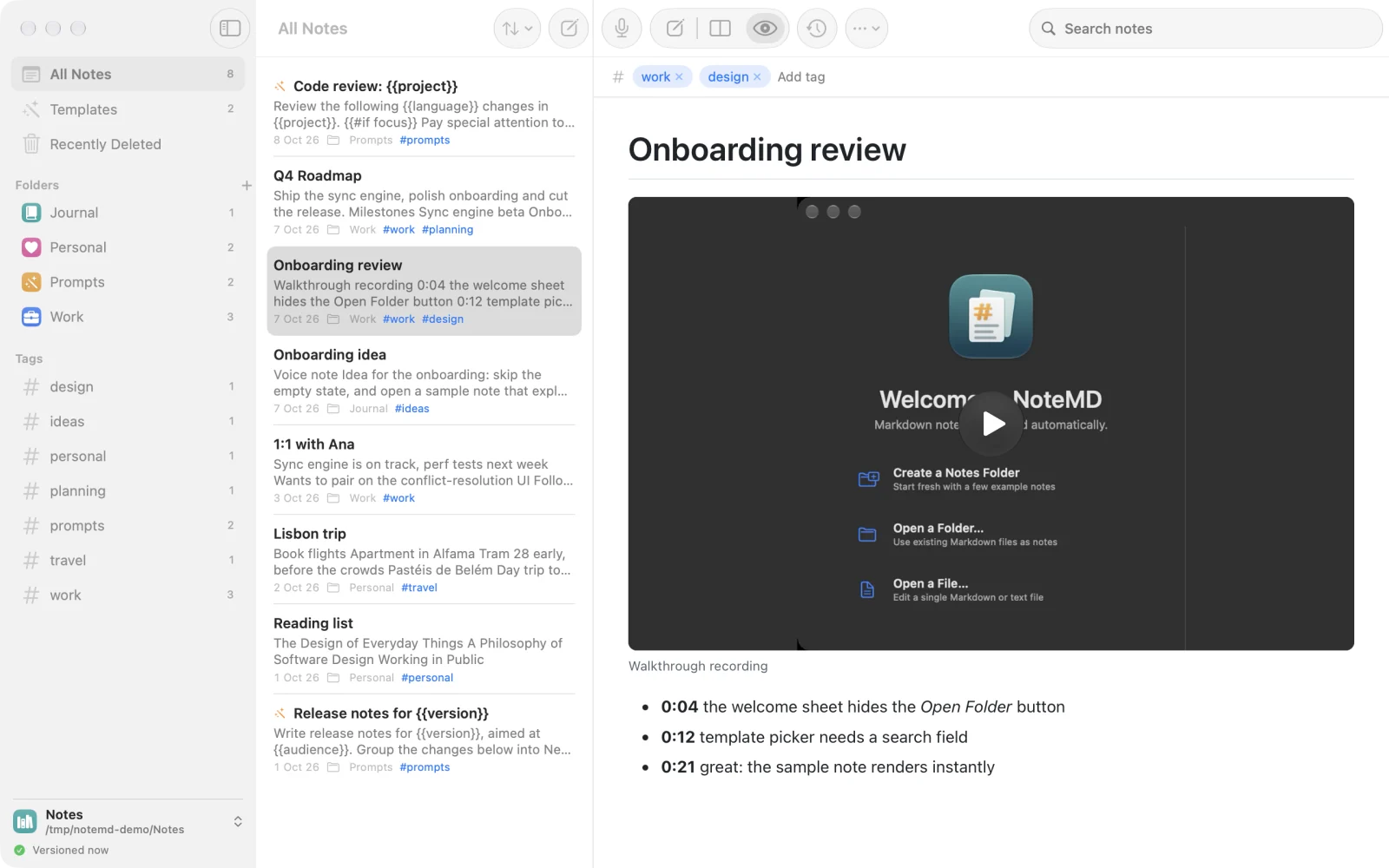
Drag or paste images, screen recordings and other files into a note. NoteMD copies them into files/assets/ or links them where they are, and audio and video play inline in the preview.

Keep time-stamped feedback next to the recording for quick design and code reviews. Attachments are stored with Git LFS, so history stays light.

The Assets view shows where every file is used, finds unused files and broken links, and renames or bins files while keeping every note's links right.

A review note with an embedded video player and time-stamped feedback bullets below it.

Goodbye, TextEdit

Open any text file from Finder: .md, .txt, .env.example, code or config, whatever the extension. Markdown gets the editor and live preview, HTML a live preview of the page with its scripts and remote content blocked until you allow them, and everything else opens as plain text. Find and replace with ⌘F and ⌥⌘F, and turn on line numbers and invisible characters from the View menu.

NoteMD shows up under Open With without taking over your default apps, and indents with tabs or spaces, as you prefer.

A plain text file open in NoteMD's standalone editor with a monospaced font.

Details

And the small things that add up.

  • Your files, your folders

    Any folder can be a vault, with your notes in its files/ folder. Open several at once, each in its own window. Incognito notes are never versioned and disappear when you close the window.

  • Folders, tags, search

    Give folders a color and an icon, tag notes in front matter, and search with tag:name or #name filters.

  • GitHub Flavored Markdown

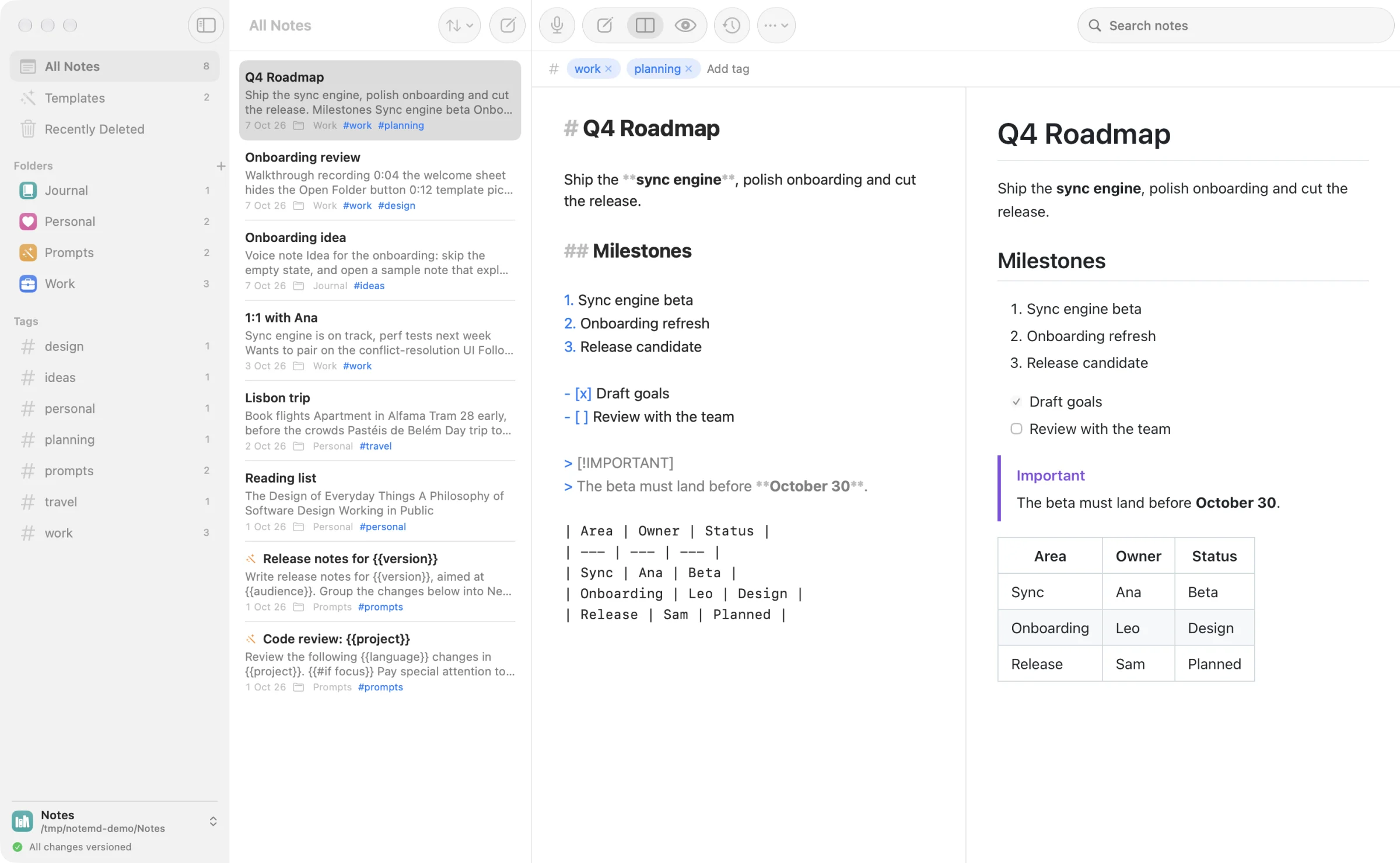
    Tables, task lists, footnotes, alerts and autolinks, rendered by cmark-gfm, GitHub's own engine.

  • Editor, Split, Preview

    Write, read, or both side by side. Switch with ⌘1, ⌘2 and ⌘3.

  • Notes from anywhere

    Send text and files from other apps through the Services menu, the Dock icon, drag and drop, or paste.

  • Native and portable

    SwiftUI and AppKit, light and dark. No database, no proprietary format: just a folder and a git repository.

Get it

Build NoteMD in a minute.

You need macOS 26 on Apple silicon, Xcode 26, git, and git-lfs for attachments. make install builds the release app and copies it to /Applications.

git clone https://github.com/itsjavi/notemd.git
cd notemd
make install